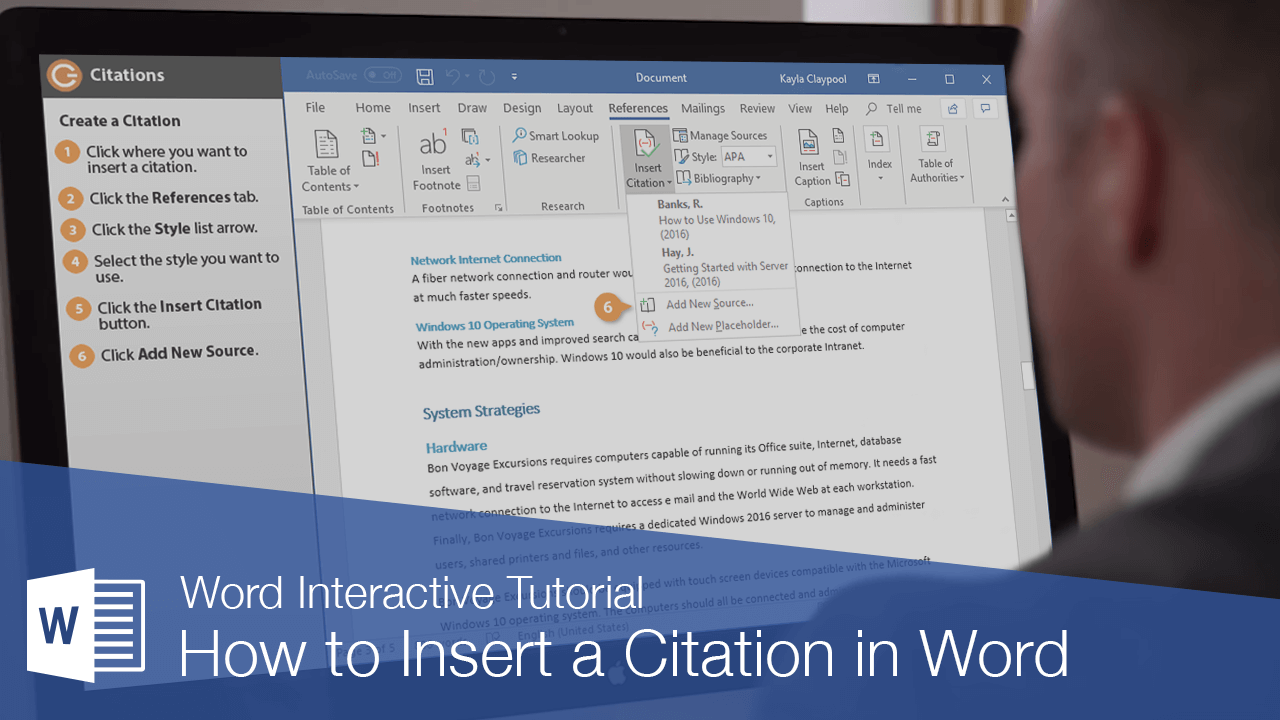
If you are working on a document that uses information from outside sources, add citations so that you can properly credit the original author. Word can make citing sources and creating a bibliography very easy.
Create a Citation
Before inserting a citation in a document, you’ll need to first create it by filling in the relevant information.
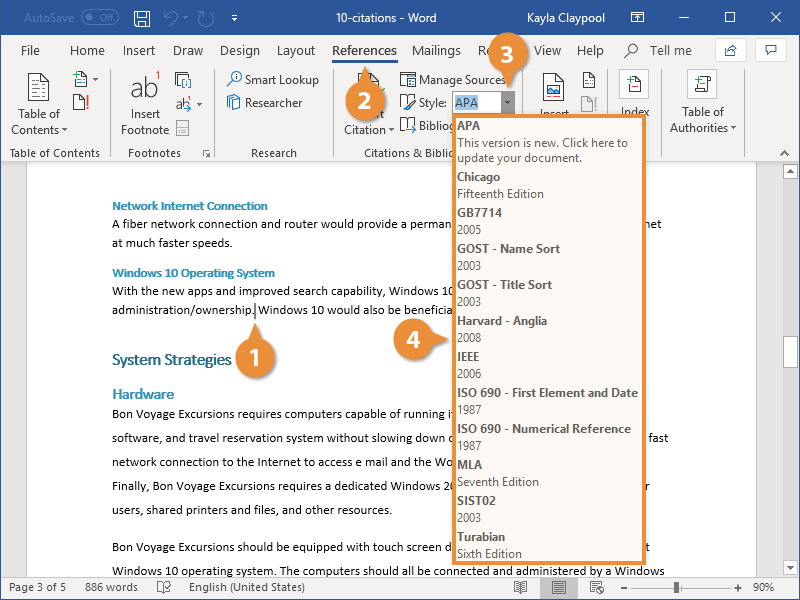
- Click in the document where you want to insert a citation.
- Click the References tab.
- Click the Styles list arrow.
- Select the style you want to use.
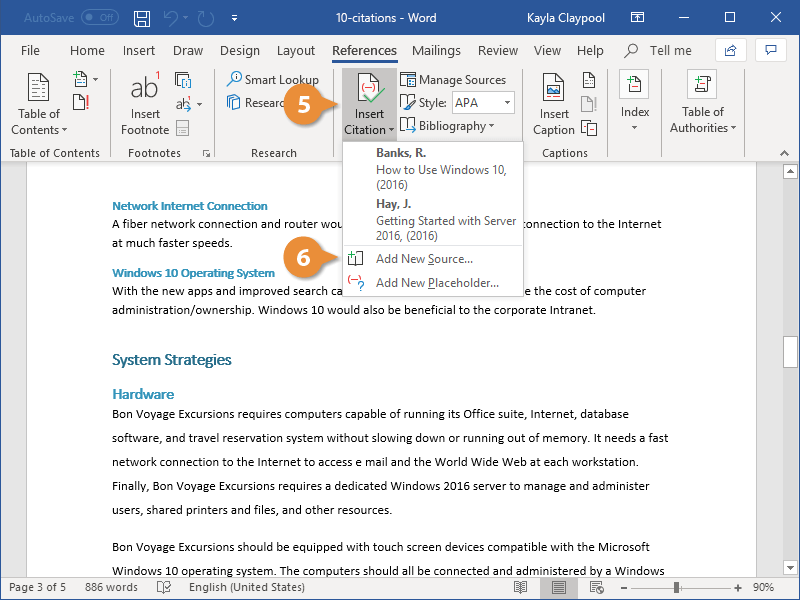
- Click the Insert Citation list arrow.
- Select Add New Source.
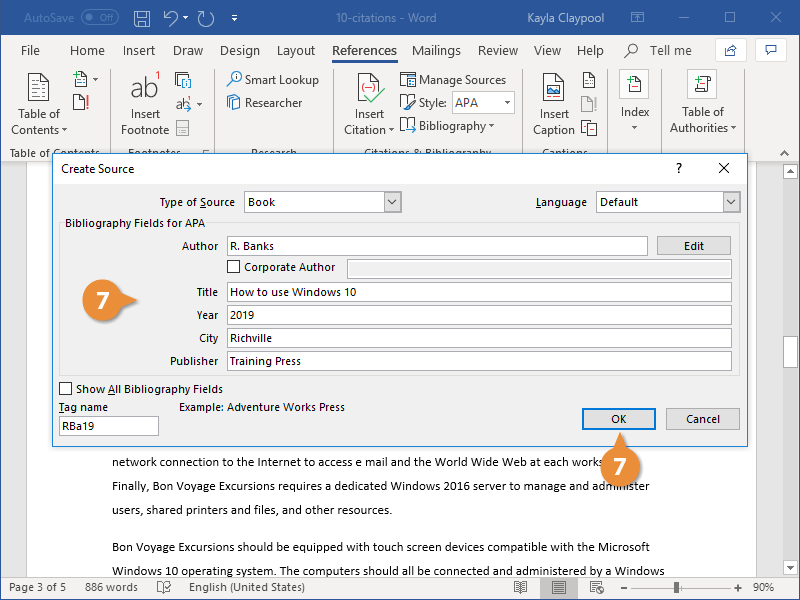
- Specify a source type, fill out the fields with your source information, and click OK.
This menu lists common citation styles. Different styles are preferred for different academic disciplines, with APA, MLA, and Chicago as the most common.
If you’ve added some sources already, you can select them here. If you have a new source you need to add, you can do that here as well.
The Create Source dialog box opens, where you can enter information for the new source. The available fields will vary depending on the citation style and type of source.
The citation is created and inserted. The appearance of the citation is based on the selected citation style.
Add a Bibliography
Once you’ve added several sources that you’ve referenced in a document, you can automatically generate a properly formatted bibliography.
- Click in the document where you want to insert a bibliography.
- On the References tab, click the Bibliography button.
- Select a Bibliography option.
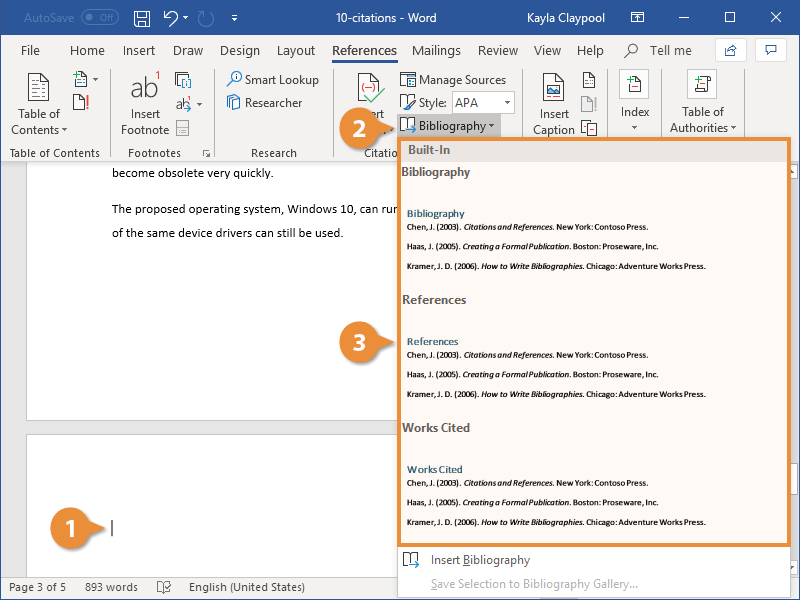
A gallery appears, with a few different bibliography styles that contain different titles.
The bibliography is created and automatically filled in with the sources you’ve cited.
Exercise:
Part 1 – Create the Document
- Copy the following text exactly as shown below:
- Insert Citation
- Insert Bibliography
Microsoft Word History
New Source:
- Type: Artical
- Title: Welcome Microsoft Word in a New Version for Windows
- Periodical Title: InfoWorld
- Author: John Lombardi
- Pages: 78-80
- Date: January 15, 1990
- Type: Book
- Author: Smith, John
- Title: Digital Learning Revolution
- Year: 2023
- Publisher: EduTech Press
- City: London
- Type: Journal
- Journal Name: The Business History Review
- Title: Not Only Microsoft: The Maturing of the Personal Computer Software Industry, 1982-1995
- Author: Martin Campbell-Kelly
- Pages: 103-145
- Date: Spring 2001
- Volume: 75
- Issue: 1